Retail Sales Performance Analytics
An independent analysis of sales, discounts and profitability using the Sample Superstore dataset.
Dataset
Sample Superstore
Rows
9,994
Period
2014 to 2017
Tools
Power Query, SQL Server, DAX
The question
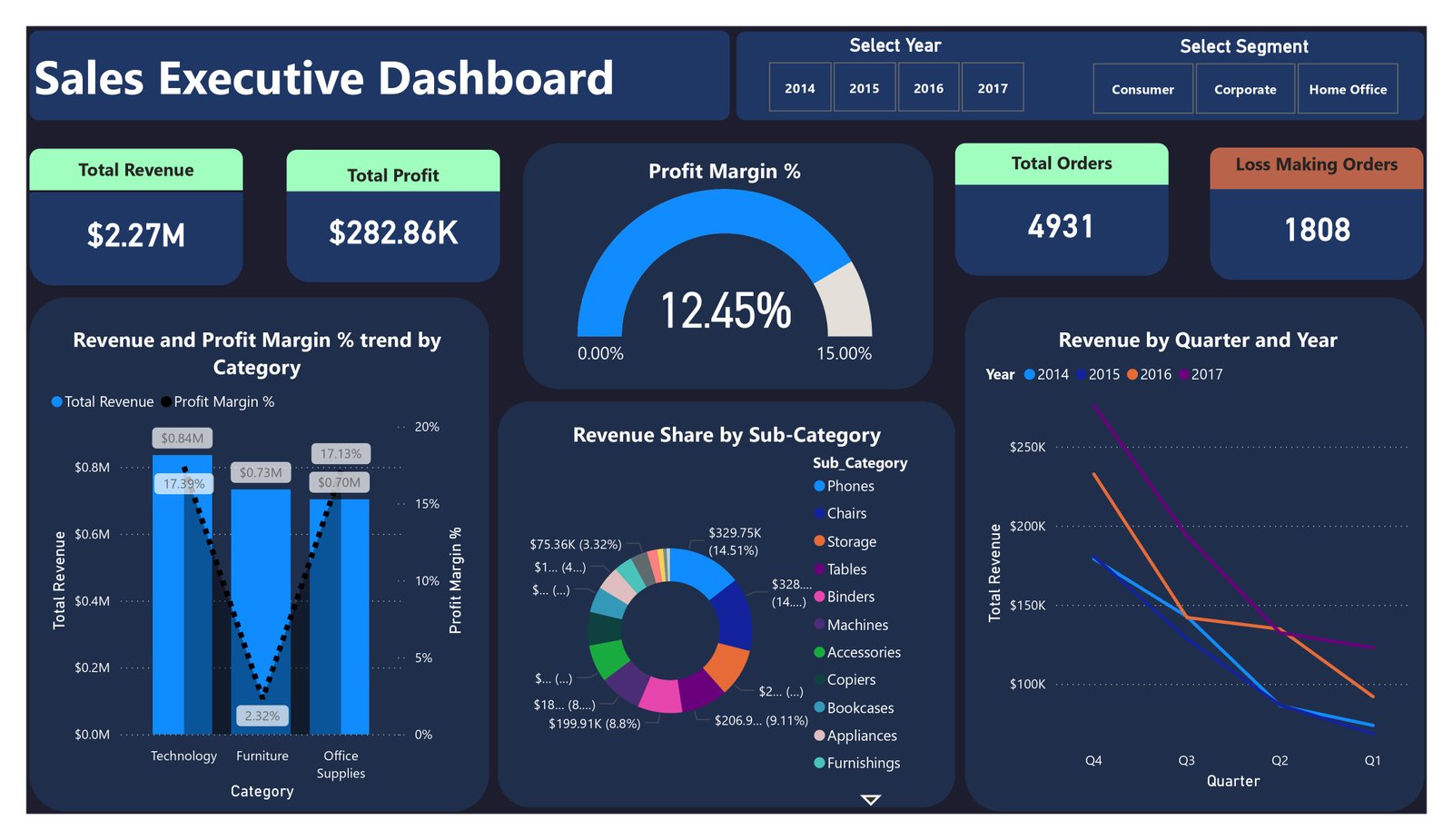
I used the Sample Superstore dataset to investigate the relationship between sales and profitability. My aim was to look beyond revenue and examine the effect of product mix and discount levels. This is a portfolio exercise using sample data, not a client engagement.
How I approached it
The existing project uses Power Query for preparation, SQL Server for analysis and Power BI with DAX for the report. The dataset is described as 9,994 rows covering 2014 to 2017.
I organised the analysis around three questions: how profitability differs between categories, how margin changes across discount bands, and which locations or product groups deserve a closer look.
Reading the dashboard
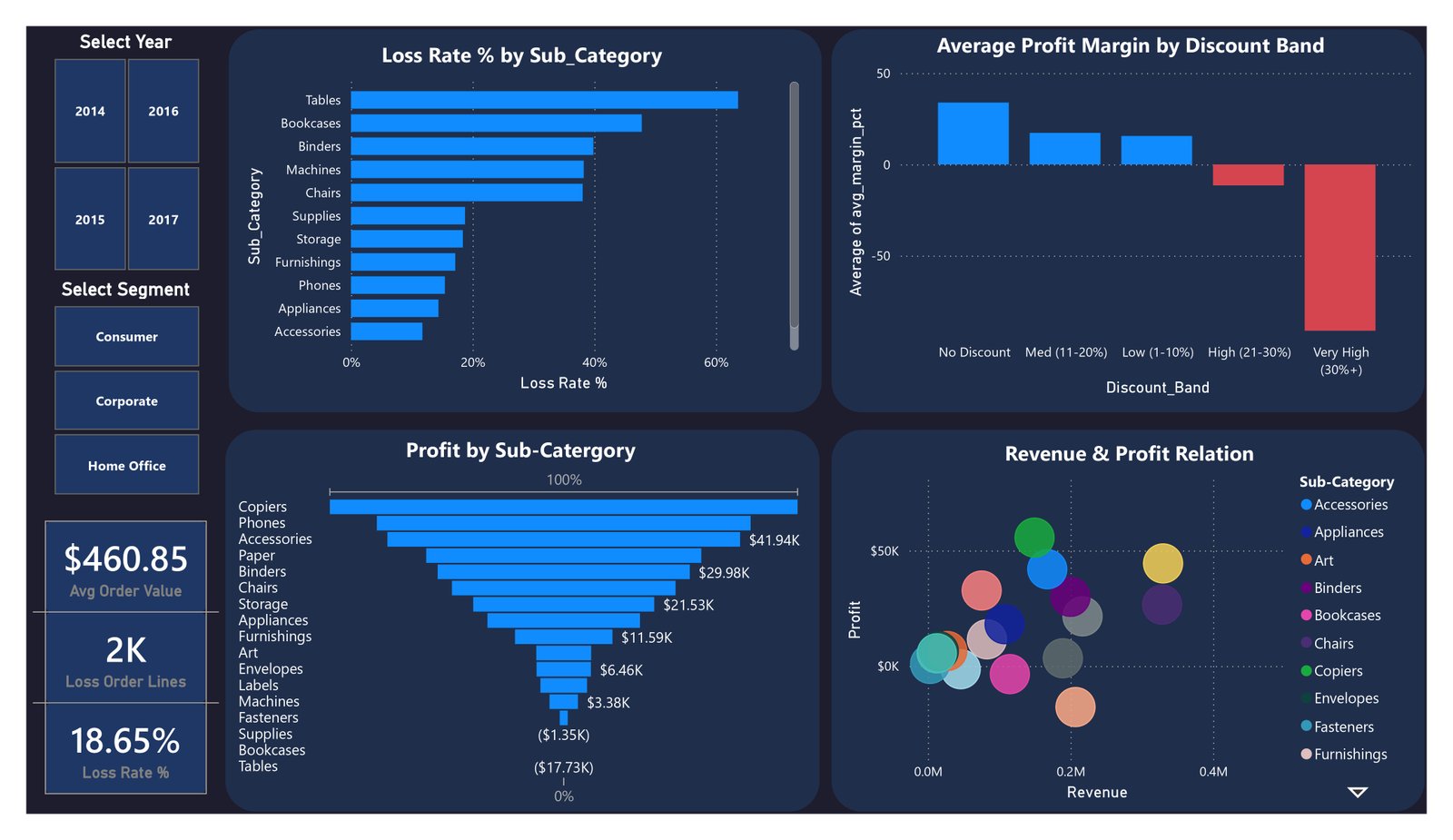
The highest discount band has a negative average margin in the captured view. Tables and Bookcases also sit below zero in the profit breakdown. These patterns point to useful follow-up questions about pricing and product mix.
Separating orders from order lines
The dashboard labels its loss measure for order lines and shows 18.65% in the captured view. That needs to be read with the report's filters and is not an order level loss rate.
An order can contain both profitable and unprofitable lines. To report an order loss rate, I would first total profit by order, then divide the count of orders with negative total profit by the count of eligible orders. The filter context must match the comparison.
Recommendations with limits
I would investigate the highest discount bands and loss making subcategories before recommending a pricing change. The report shows an association between discounts and margin, but it cannot tell me how customers would respond to different prices.
Similarly, a loss shown over the selected reporting period should not be described as an annual loss without checking the dates. Decisions about discontinuing products would need demand and cost information beyond this dashboard.
What this project taught me
Revenue is a useful starting point, but the definition of each measure determines whether the comparison is meaningful. This project gives me a practical way to work on those definitions and communicate the limits of an analysis.
The screenshots show the report at a particular filter state. My conclusions are exploratory, and I would validate the measures against the source model before using them to guide a pricing decision.
Visit my GitHub profile ↗